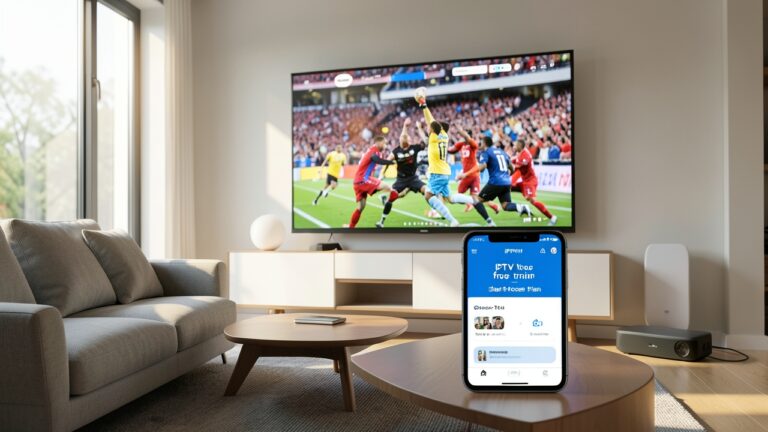

Amazon Firestick has become a go‑to streaming device for many UK households, and pairing it with a quality IPTV for Firestick UK service can turn a modest TV into a full‑featured entertainment hub. Yet the market is crowded, and not every subscription delivers the stability or device flexibility users expect. This article walks you through the key factors to evaluate when choosing an IPTV provider, how to set it up on your Firestick, and practical tips for keeping streams smooth across multiple devices.
Why Stability Matters for IPTV on Firestick
Streaming live TV over the internet relies on consistent bandwidth, reliable server infrastructure, and well‑optimized playlists. When any of these elements falter, you’ll notice buffering, pixelation, or dropped connections—especially on a device like the Firestick that runs on a modest processor and limited RAM. A stable service ensures:
- Continuous playback of live channels, sports, and movies.
- Accurate EPG data so guide information matches what’s actually on‑air.
- Seamless switching between devices (Firestick, Android TV, smartphones) without re‑authorising each time.
Key Criteria for a Multi‑Device IPTV Subscription
When you’re evaluating providers, focus on these measurable aspects rather than marketing hype.
1. Server Distribution and Redundancy
Look for services that operate multiple servers across different regions (e.g., Europe, North America). Redundant servers allow the provider to route traffic away from congested nodes, reducing latency for UK users.
2. Simultaneous Stream Limits
Many subscriptions cap the number of concurrent streams. If you plan to watch on a Firestick in the living room while a family member streams on a tablet, choose a plan that supports at least two or three simultaneous connections.
3. Playlist Format Compatibility
Firestick apps typically accept M3U playlists, but some providers also offer Xtream Codes or Stalker Portal links. An M3U‑compatible service simplifies setup and gives you flexibility to switch to other apps later. For a deeper dive into format differences, see Xtream Codes vs M3U vs Stalker Portal: IPTV Formats Explained.
4. EPG Accuracy and Update Frequency
Electronic Programme Guide (EPG) data should refresh at least daily. Inaccurate guides lead to missed shows and frustration. Providers that supply a separate EPG file or integrate with popular guide apps are preferable.
5. Customer Support and Community Resources
Responsive support—via ticket system, live chat, or a well‑maintained forum—can be a lifesaver when you encounter regional blocks or need help with device limits.
Setting Up IPTV on Your Firestick
Once you’ve selected a stable provider, the installation process is straightforward. Follow these steps, and you’ll be streaming in minutes.
- Open the Amazon Appstore on your Firestick.
- Search for a reputable IPTV player such as IPTV Smarters Pro or Downloader (for sideloading).
- Install the app and launch it.
- Enter the M3U playlist URL and any required authentication details supplied by your provider.
- Save the configuration and let the app load the channel list.
If you prefer a visual walkthrough, the guide Amazon Firestick & Fire TV for IPTV in the UK: Complete Guide covers each step with screenshots.
Maintaining Smooth Playback Across Devices
Even with a top‑tier service, external factors can affect performance. Here are actionable tips to keep your streams buttery‑smooth.
Use a Wired Connection When Possible
While Firestick is designed for Wi‑Fi, connecting your router to the wall via Ethernet (using a Powerline adapter if needed) reduces packet loss and latency.
Enable a VPN for ISP Throttling Prevention
Some UK ISPs throttle streaming traffic during peak hours. A reputable VPN can mask IPTV traffic, preserving speed. For more on this topic, read ISP Throttling and VPNs in the UK: What Streaming Users Should Know.
Adjust Buffer Settings in the App
Most IPTV players allow you to increase the pre‑buffer size. Setting a 5‑10 second buffer can absorb brief network hiccups without interrupting playback.
Regularly Update Playlists
Providers may rotate server URLs or add new channels. Refresh the playlist at least weekly to avoid dead links.
Comparing Popular IPTV Plans for Firestick
Below is a simplified comparison of three typical UK‑focused IPTV subscriptions. Numbers are illustrative; always verify the latest pricing on the provider’s site.
| Provider | Monthly Cost | Simultaneous Streams | Server Locations | EPG Updates |
|---|---|---|---|---|
| StreamHub | £9.99 | 2 | EU, US | Daily |
| FirePlay | £12.49 | 4 | EU, UK, CA | Hourly |
| VisionCast | £7.99 | 1 | EU | Every 24 h |
For a deeper analysis of how to evaluate cost versus performance, see our How to Buy IPTV in the UK: A Practical Guide to Choosing the Right Service.
Legal Considerations
In the UK, the legality of IPTV hinges on the source of the content. Services that stream copyrighted channels without proper licensing are illegal and can be shut down without notice. Always verify that a provider offers licensed content or operates under a clear terms‑of‑service policy. For guidance on watching sports legally, check Live Sports Streaming Guides UK.
Conclusion
Choosing the right IPTV for Firestick UK service is about more than price; stability, multi‑device support, and transparent licensing are critical. By assessing server distribution, simultaneous stream limits, playlist compatibility, and EPG reliability, you can avoid common pitfalls like buffering and channel loss. Pair your chosen subscription with a solid setup—wired networking, a trusted VPN, and regular playlist updates—and you’ll enjoy a smooth, legal streaming experience across all your devices.
Frequently Asked Questions
- Can I use the same IPTV subscription on a Firestick and an Android TV? Yes, as long as the provider permits multiple concurrent streams and offers an M3U playlist compatible with both apps.
- Do I need a VPN to watch IPTV on a Firestick in the UK? A VPN isn’t mandatory, but it helps bypass ISP throttling and adds a layer of privacy, especially if the provider’s servers are located outside the UK.
- How often should I refresh my playlist? At least once a week, or whenever you notice missing channels or playback errors.
- What is the difference between M3U and Xtream Codes? M3U is a simple text file containing stream URLs, while Xtream Codes is a more advanced API that can deliver dynamic playlists, user authentication, and EPG data. Both work on Firestick, but M3U is generally easier to set up.
- Is it legal to use IPTV services? Only if the service provides licensed content. Unlicensed streams violate UK copyright law and can be shut down without warning.