
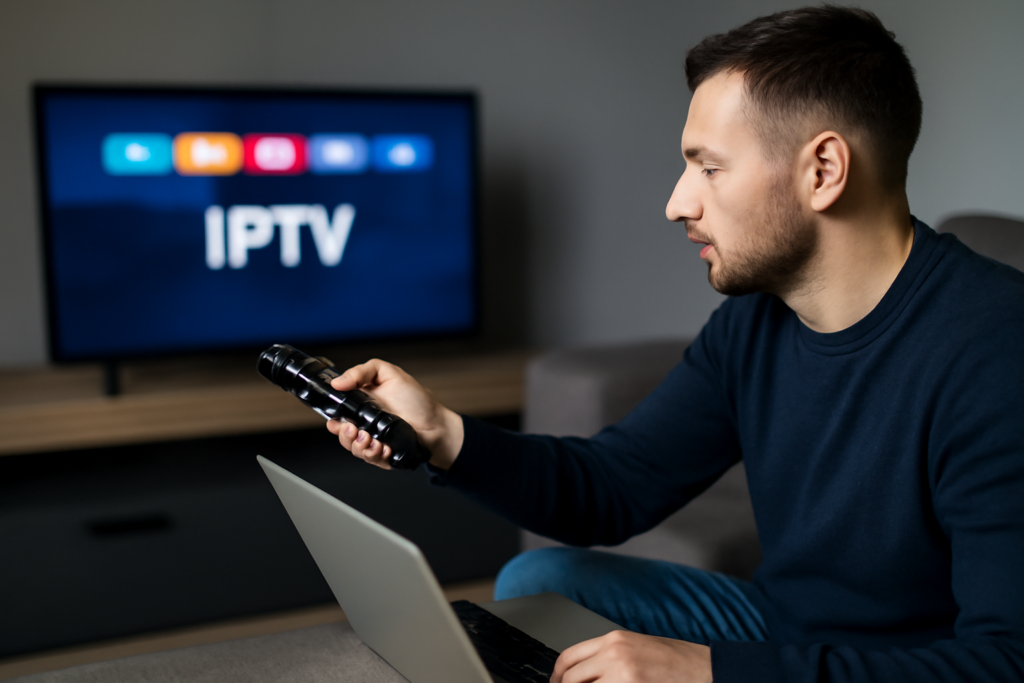
Beginner’s Guide to Setting Up IPTV Services in the UK: Practical Guide
Beginner’s Guide to Setting Up IPTV Services in the UK is the focus of this practical guide. The following sections explain useful options, key considerations, and clear steps to help readers make an informed decision.
What Is IPTV and Why Choose It in the UK?
Internet Protocol Television (IPTV) delivers television content through internet networks rather than traditional satellite or cable broadcasts. This technology allows UK viewers to enjoy greater flexibility in how and where they watch TV, access a wider range of international channels, and often benefit from more competitive pricing models. IPTV services can stream live TV, video on demand (VOD), and catch-up TV, making it a versatile option for modern viewers.
For beginners, IPTV might initially seem complex due to the variety of providers, devices, and setup procedures available. However, with clear guidance, setting up IPTV services in the UK is straightforward and rewarding. This guide covers everything from the essential requirements to choosing a provider, installation steps, troubleshooting, and tips for an optimal viewing experience.
Key Requirements Before Setting Up IPTV Services
Reliable High-Speed Internet
Streaming IPTV requires a stable and fast broadband connection to ensure smooth playback without buffering or quality degradation. In the UK, a minimum download speed of 15 Mbps is recommended for standard HD streaming, while 4K UHD content demands at least 25 Mbps. If multiple devices or users share the same network, consider higher speeds to accommodate simultaneous streaming.
To assess your current internet speed, use online speed test tools such as Speedtest.net. If your connection speed fluctuates or is below the recommended threshold, upgrading your broadband package or switching to a wired Ethernet connection instead of Wi-Fi can significantly improve streaming stability and reduce interruptions.
Compatible Device or Set-Top Box
IPTV services can be accessed through a variety of devices, each offering different levels of convenience and functionality:
- Smart TVs: Many modern smart TVs come with built-in app stores where you can download IPTV applications directly, making setup simple and eliminating the need for extra hardware.
- Streaming Devices: Devices like Amazon Firestick, Roku, or Android TV boxes are popular for IPTV because they support a wide range of apps and offer user-friendly interfaces.
- Computers and Smartphones: IPTV apps or web-based players are available for Windows, macOS, iOS, and Android, allowing you to watch IPTV on the go or on your desktop.
- Dedicated IPTV Boxes: Some IPTV providers offer proprietary set-top boxes optimized for their services, often including pre-installed apps and remote controls tailored for IPTV navigation.
Choose a device based on your viewing preferences, technical comfort, and budget. For instance, if you prefer watching on a large screen with minimal setup, a smart TV or dedicated IPTV box might be ideal. If portability is important, smartphones or tablets are better suited.
Choosing the Right IPTV Provider in the UK
Selecting a reliable IPTV provider is crucial for a smooth and legal viewing experience. Here are key factors to consider:
- Channel Selection: Verify that the provider offers your favourite UK channels as well as any international content you want. Some providers specialize in specific genres or regions, so choose one that matches your interests.
- Service Legitimacy: Ensure the provider complies with UK broadcasting regulations and holds the necessary licenses. Using legitimate services helps avoid legal risks and ensures consistent service quality.
- Customer Support: Responsive customer support can be invaluable, especially when troubleshooting issues or setting up your service. Look for providers with good reviews regarding support responsiveness.
- Device Compatibility: Confirm that the IPTV service supports the devices you plan to use, including any apps or firmware requirements.
- Trial Periods: Many providers offer free trials or short-term subscriptions. Use these to test streaming quality, channel availability, and user experience before committing.
- Subscription Flexibility: Monthly plans without long-term contracts offer flexibility to switch providers or cancel if the service does not meet your expectations.
For a deeper dive into selecting providers, see Choosing the Right IPTV Provider UK: A Practical Guide.
Step-by-Step Setup Process for IPTV Services
1. Subscribe and Obtain Credentials
Once you’ve chosen an IPTV provider, sign up for their service. You will typically receive login credentials, an M3U playlist URL, or a portal URL with an activation code. These details are essential for linking your device to the IPTV service.
2. Install IPTV App or Configure Device
Depending on your device, download the official IPTV app recommended by your provider or a compatible third-party IPTV player such as IPTV Smarters, TiviMate, or Perfect Player. On smart TVs and streaming devices, use the built-in app store to find and install the app.
3. Input Service Details
Launch the IPTV app and enter your subscription credentials, playlist URL, or portal details as instructed by your provider. This step authenticates your device and grants access to the IPTV content.
4. Customize Channel Lists and Guides
Most IPTV apps allow you to organize channels, create favourites, and access Electronic Program Guides (EPGs) that display upcoming programming schedules. Customizing these features can significantly enhance your viewing experience by making navigation easier and more intuitive.
For more information on managing EPGs and playlists, visit Understanding the Role of EPG in Live IPTV Streaming.
5. Test Streaming Quality
After setup, test several channels to evaluate streaming quality, latency, and buffering. If you experience issues, try switching between different stream qualities if available, or troubleshoot your network connection.
Common Challenges and How to Address Them
Buffering and Streaming Interruptions
Buffering is often caused by insufficient bandwidth or network instability. To reduce buffering:
- Use a wired Ethernet connection instead of Wi-Fi for better stability.
- Close other applications or devices consuming bandwidth on your network.
- Upgrade your internet plan if your current speed is inadequate.
- Restart your router to refresh the connection.
For comprehensive troubleshooting tips, see Troubleshooting Common IPTV Streaming Issues at Home.
Channel Blackouts or Missing Content
Channels may occasionally go offline due to provider maintenance, licensing restrictions, or technical problems. If you notice missing channels or blackouts:
- Check the provider’s status updates or announcements.
- Contact customer support for information and estimated resolution times.
- Verify that your subscription is active and credentials are correct.
Learn how to report these issues effectively at How to Report IPTV Streaming Issues to UK Service Providers.
Device Compatibility Issues
If your IPTV app fails to work properly, ensure your device’s firmware and apps are up to date. Older devices may lack the processing power or software support required for smooth IPTV playback. In such cases, upgrading to a newer streaming device or smart TV can resolve compatibility problems.
Additional Tips for a Smooth IPTV Experience
- Use a VPN if Needed: A Virtual Private Network (VPN) can enhance privacy and help bypass ISP throttling. Choose a VPN with fast UK-based servers to minimize latency and maintain streaming quality.
- Regularly Update Apps: Keep your IPTV apps updated to benefit from the latest security patches, bug fixes, and new features.
- Backup Your Playlists: Save your channel lists and settings externally to avoid losing them during device resets or app reinstallations.
- Manage Data Usage: If you have a data cap on your broadband, monitor your IPTV usage to avoid unexpected charges. Lower stream quality settings can help reduce data consumption.
- Secure Your Network: Use strong Wi-Fi passwords and consider network security measures to prevent unauthorized access that could affect streaming performance.
Frequently Asked Questions (FAQs)
Is IPTV legal in the UK?
Yes, IPTV is legal in the UK when using licensed and legitimate providers that have the rights to distribute the content. Avoid unlicensed IPTV services as they may infringe copyright laws and pose legal risks.
Can I watch IPTV on multiple devices simultaneously?
Most IPTV providers allow multiple simultaneous streams, but the exact number depends on the subscription plan. Check with your provider for details on multi-device support.
Do I need special equipment to use IPTV?
No special equipment is required beyond a compatible device (smart TV, streaming box, smartphone, or computer) and a reliable internet connection. Some providers offer dedicated set-top boxes for convenience but they are not mandatory.
How can I improve IPTV streaming quality?
Use a wired Ethernet connection, close bandwidth-heavy applications, upgrade your internet speed if necessary, and select appropriate stream quality settings within the IPTV app.
Are there free IPTV services available in the UK?
There are some free IPTV apps and channels available legally, but these are often limited in content and quality. Paid services generally offer a more comprehensive and reliable experience.
Conclusion
Setting up IPTV services in the UK is accessible for beginners with a clear understanding of the necessary equipment, internet requirements, and provider options. Prioritize legal and reputable services with solid customer support, and ensure your home network can sustain high-quality streaming. By following the outlined steps and tips, you can unlock a rich variety of content tailored to your preferences, enjoying live TV, on-demand shows, and international channels with ease.
For broader insights on IPTV trends and future developments, consider reading The Future of IPTV in the UK: Trends and Emerging Technologies.


